
Guide

Set up Momentum
with EasyUsenet.

Momentum is our recommendation for beginners: search is built straight in, so you need no second program. Four steps and your first download is running.

Guides · Momentum
Made for beginners. Momentum combines search and newsreader in one program, so you do not have to worry about an indexer as well. The interface is in English.
1

Install Momentum

Download the version for your operating system from the official site and install it like any other program. Momentum is light on resources and runs smoothly on older machines too.

  • Windows, macOS or Linux
  • About 250 MB of free disk space
  • No extra software needed
2

Enter the server details

Open Settings → Usenet Server and enter our details. Watch out for the TLS/SSL tick box. Your username and password are in the e-mail you received after ordering.
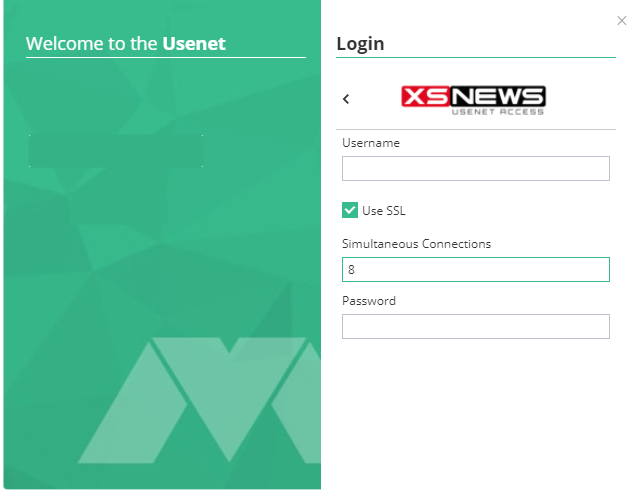
Momentum: EasyUsenet server details entered
Server dataEasyUsenet
Serverreader.easyusenet.nl
Port563Enable TLS/SSL
connections100
Usernamefrom your e-mail
Passwordfrom your e-mail
3

Check the connection

Click Test connection. On success Momentum shows a green confirmation. You can then close the window – the settings stay saved.

No connection? Check Port 563 with TLS/SSL and the spelling of your username and password. If it persists, write to us – we will look at it together.
4

Search and download

Momentum comes with several indexers. Type your search term into the bar, pick a result and the download starts. Verifying, repairing and unpacking happen automatically.

  • Search bar at the top of the window
  • Target folder under Settings → Downloads
  • Set connections to 100

No access yet?

Unlimited Usenet from €3.98 a month – full performance in every plan.

See all plans →
FAQ

Questions about Momentum

What we are asked most about this guide.

Is Momentum free?
Yes. Momentum is a free program from an independent project. You only pay for your Usenet access with us.
Do I also need an indexer?
No. Momentum comes with several indexers – you search directly in the program.
Is Momentum available in other languages?
The interface is in English but very clear. If you need another language, SABnzbd serves you better.
Does Momentum run on a NAS?
No, Momentum is a desktop program. For a NAS or Raspberry Pi take NZBGet or SABnzbd.
Which port should I use?
563 with TLS/SSL switched on. That encrypts the connection, at no extra cost.
How many connections should I set?
100 – that is our maximum, and it is included in every plan.
Setup is not working – what now?
Write to our support team and we will set it up with you.
Get in touch →